
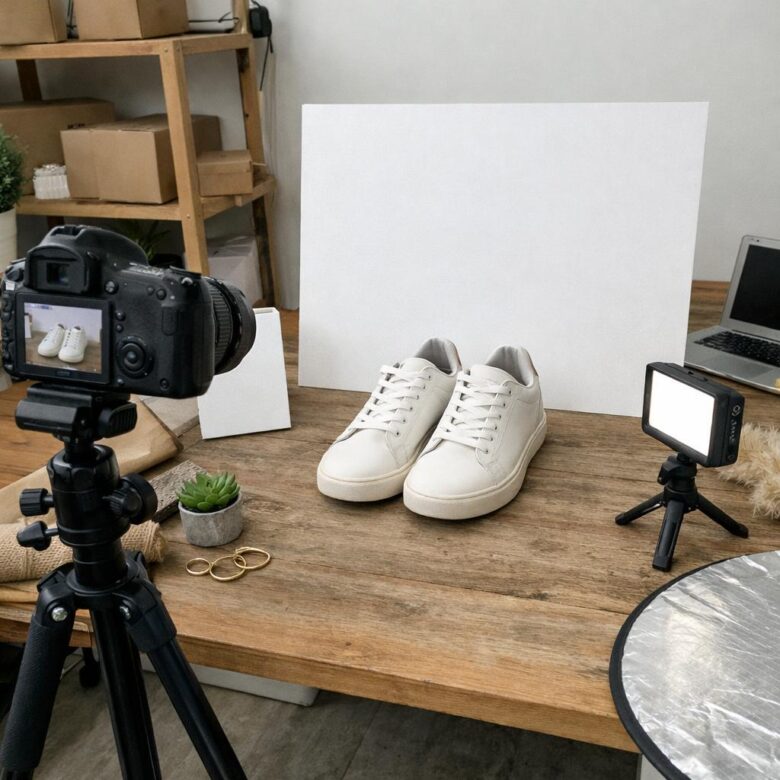
Would you buy from your own product photos?
For small business websites and online stores, images often do the selling before a customer reads a single word. Sharp, honest, well-planned product photography can make a brand look trustworthy, premium, and ready to ship.
The good news: you don’t need a studio budget to create photos that convert. You need the right lighting, clean composition, consistent styling, and a clear understanding of what shoppers need to see before they click “Add to Cart.”
These product photography tips will help you showcase your products with more confidence, reduce buyer hesitation, and make your online store feel more professional from the first glance.
What Makes Product Photography Effective for Small Business Websites
Effective product photography does more than make an item look attractive; it helps shoppers understand size, texture, quality, and value before they buy. For small business websites and online stores, this can directly affect conversion rates, return costs, and how professional the brand feels compared with larger competitors.
A strong product photo is clear, well-lit, color-accurate, and consistent across the website. For example, a handmade jewelry seller on Shopify should show each necklace on a plain background, on a model for scale, and in a close-up shot that reveals clasp quality and material details.
- Lighting: Use natural window light or an affordable LED softbox to reduce harsh shadows.
- Consistency: Keep the same background, crop style, and image size for a cleaner ecommerce design.
- Editing: Use tools like Adobe Lightroom or Canva to adjust exposure, white balance, and image optimization without making products look misleading.
One practical insight from working with small catalogs is that customers notice inconsistencies quickly. If one product image looks warm and polished while the next looks dark and rushed, the store can feel less trustworthy, even if the products are high quality.
Good product images should also load fast on mobile devices. Compressing photos, using proper file names, and adding descriptive alt text can support SEO, improve user experience, and help product pages perform better in Google Shopping, paid ads, and organic search.
How to Shoot Clean, Conversion-Focused Product Photos on a Budget
You do not need a professional photography studio to create product images that look trustworthy and help shoppers buy. A recent smartphone, a window with soft daylight, a plain backdrop, and basic editing in Canva or Lightroom Mobile can produce clean ecommerce product photography for a small business website.
Start with consistency. Use the same background, angle, crop, and lighting setup for every item so your online store feels organized. For example, a handmade candle seller can place each candle on white poster board near a north-facing window, shoot one front image, one label close-up, and one lifestyle photo on a bathroom shelf or coffee table.
- Use soft light: Avoid direct sun, overhead bulbs, and mixed lighting because they create harsh shadows and inaccurate colors.
- Stabilize the camera: A low-cost phone tripod improves sharpness and keeps product dimensions visually consistent.
- Edit lightly: Adjust exposure, white balance, and crop, but do not over-smooth textures or change the real product color.
One practical insight from real product shoots: customers often care more about clarity than artistic styling. Show scale by adding a hand, ruler, packaging box, or common object where appropriate. This reduces uncertainty, especially for jewelry, skincare, apparel, and home decor.
If your budget allows, invest first in lighting, not an expensive camera. A small LED softbox kit or portable light panel usually delivers better product photo quality, fewer returns caused by misleading images, and stronger conversion rates than upgrading devices too early.
Common Product Photography Mistakes That Hurt Online Store Sales
One of the biggest mistakes small businesses make is using dark, inconsistent, or overly edited product images. If a customer cannot judge the color, size, texture, or finish clearly, they hesitate-and hesitation often means abandoned carts, especially on Shopify, Etsy, Amazon, or WooCommerce stores.
A common real-world example is photographing handmade jewelry under warm indoor lighting, then uploading images that make silver look slightly gold. That small color mismatch can lead to returns, refund requests, poor reviews, and higher customer service costs.
- Mixed backgrounds: Switching between wood tables, fabric, and cluttered desks makes your online store look less professional.
- No scale reference: Products like skincare bottles, candles, bags, and accessories need at least one image showing size in real use.
- Over-compression: Uploading blurry images to save storage can damage trust and reduce conversion rates.
Another costly issue is ignoring mobile shoppers. Images that look fine on a laptop may appear cropped, soft, or too small on a phone, so always preview your product pages before publishing.
For cleaner results, use a tripod, natural window light, and simple editing tools like Adobe Lightroom or Canva to correct exposure without changing the actual product color. In practice, consistent product photography builds trust faster than fancy effects, because buyers want accuracy before they care about style.
Summary of Recommendations
Strong product photography is not about having the most expensive setup; it is about making buying decisions easier. Clear, consistent images reduce doubt, build trust, and help customers understand exactly what they are purchasing.
Practical takeaway: start with simple lighting, clean backgrounds, accurate colors, and multiple useful angles. Improve one element at a time rather than waiting for a perfect studio.
If your products are visually simple, DIY photography may be enough. If your items are premium, detailed, or central to your brand identity, investing in professional images can directly support higher conversions and stronger customer confidence.

Doctor of Quantitative Economics and macro-financial analytics. Dr. Holt focuses on econometric modeling and long-term equity trends. His work bridges the gap between academic financial research and everyday portfolio management, giving readers the exact tools and statistical clarity needed to decode volatile market cycles.