A single missed detail can turn a profitable commercial shoot into an expensive reshoot.
Whether you’re a brand planning a campaign or a freelancer delivering the work, commercial photography depends on precision long before the camera comes out.
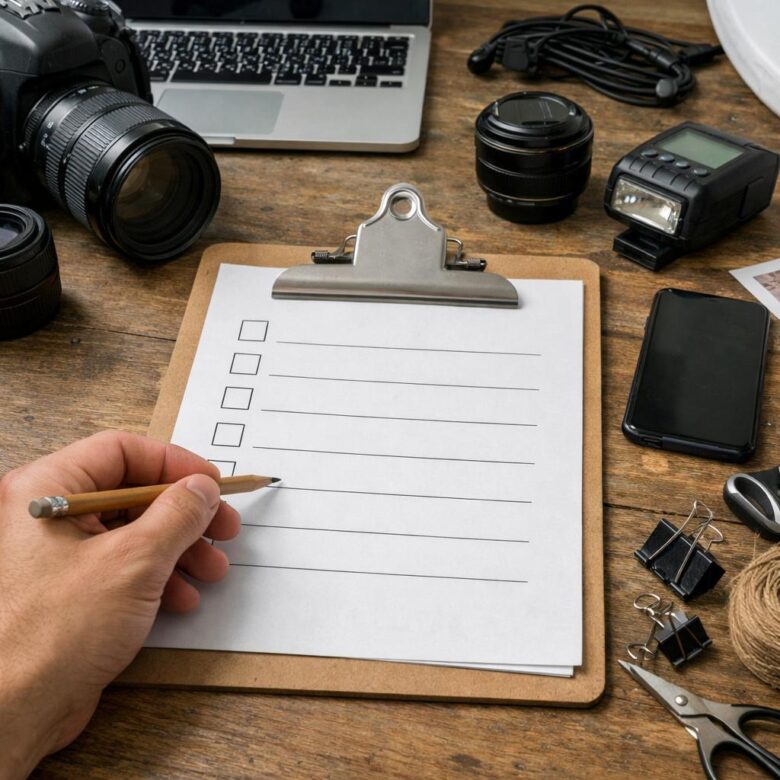
This checklist helps you lock down the brief, usage rights, shot list, locations, talent, styling, gear, approvals, and delivery requirements-so expectations are clear and nothing critical is left to chance.
Use it to plan faster, communicate better, protect your budget, and produce images that are ready for real commercial use.
What a Commercial Photography Checklist Must Cover Before Any Brand Shoot
A commercial photography checklist should cover more than camera gear and shot ideas. Before any brand shoot, it needs to lock down the business details: creative direction, usage rights, licensing terms, product handling, delivery format, and approval workflow.
Start with the campaign goal and where the images will be used, because a website banner, Amazon product listing, billboard, and paid social ad all require different framing, file sizes, and photo licensing agreements. This also affects commercial photography pricing, especially if the client needs extended usage for advertising, packaging, or national campaigns.
- Creative brief: brand style, mood board, shot list, props, models, location, and must-have angles.
- Legal and business terms: contracts, usage rights, model releases, product permissions, insurance, payment schedule, and cancellation policy.
- Production details: call sheet, lighting plan, backup equipment, file naming, retouching scope, and delivery deadline.
In real shoots, the most expensive problems often come from vague expectations, not bad photography. For example, a skincare brand may ask for “clean product photos,” but the checklist should clarify whether that means white-background eCommerce images, lifestyle bathroom scenes, macro texture shots, or ad-ready vertical content for Meta campaigns.
Use a project management tool like Notion, Trello, or Google Drive to keep briefs, reference images, contracts, invoices, and final asset folders in one place. A good checklist protects both the brand and the freelancer by making the shoot easier to price, produce, approve, and deliver without last-minute surprises.
How to Plan Shot Lists, Props, Locations, Models, and Usage Rights
Start with the final use of the images, not the camera settings. A commercial photography checklist should separate website banners, paid social ads, Amazon product photos, email campaigns, packaging, and print materials because each format needs different framing, resolution, and licensing terms.
Create a shot list that includes the product, angle, crop, background, model action, and priority level. For example, a skincare brand may need one clean white-background hero image, three lifestyle bathroom shots, two texture close-ups, and short-form ad variations for Meta and Google Ads.
- Shot list: Use Google Sheets, Airtable, or Notion to track image names, usage, props, deadlines, and approval status.
- Props and styling: Confirm colors, surfaces, wardrobe, product labels, packaging condition, and backup items before shoot day.
- Locations: Check natural light, parking, permits, power access, noise, insurance requirements, and whether the space allows commercial production.
Model planning needs extra care. Confirm wardrobe sizes, grooming expectations, call times, meal breaks, and whether the model’s hands, face, or full body will appear, since this affects model release forms and usage fees.
Usage rights are where many brands and freelancers lose money. Define whether the images are for organic social media, paid advertising, ecommerce listings, billboards, retail displays, or unlimited commercial use, and specify the territory and duration in the contract.
In real shoots, the most expensive mistakes usually come from unclear approvals: a missing prop, an unlicensed location, or images delivered in the wrong crop. A simple pre-production document prevents reshoots and protects both the client’s marketing budget and the photographer’s time.
Common Commercial Photography Mistakes That Cost Brands and Freelancers Time, Budget, and Image Quality
One of the most expensive mistakes in commercial photography is starting a shoot without a clear creative brief. If the product photography style, image usage rights, file formats, background requirements, and delivery deadline are not agreed in writing, the project can quickly turn into unpaid reshoots and client frustration.
A common real-world example: a skincare brand books a photographer for eCommerce images, then later asks for lifestyle shots for paid ads and social media campaigns. Those require different lighting, props, models, licensing, and retouching time, so the original photography quote no longer fits the actual scope.
- Poor pre-production: missing shot lists, unclear brand guidelines, no mood board, or no approval process.
- Weak file management: unorganized RAW files, no backup system, and confusing image naming for product catalogs.
- Underestimating post-production: advanced retouching, color correction, clipping paths, and resizing for Shopify, Amazon, or ads take real time.
Freelancers also lose money when they skip contracts or rely only on verbal agreements. Using tools like Adobe Lightroom, Capture One, Google Drive, and project management platforms such as Trello can reduce confusion, but they cannot replace a signed scope of work and licensing terms.
Brands should avoid choosing photographers based only on the lowest commercial photography cost. A cheaper shoot can become more expensive if images need heavy editing, do not meet ad platform specs, or fail to match the brand’s visual identity.
Summary of Recommendations
A strong commercial photography workflow is less about ticking boxes and more about protecting the value of the final images. Use the checklist as a decision tool: clarify the objective, confirm the usage rights, align creative expectations, and remove avoidable risks before production begins.
- If the brief is vague, pause and refine it before booking the shoot.
- If the images drive revenue, invest in planning, talent, and licensing clarity.
- If you are freelancing, treat every checklist item as protection for your time, reputation, and payment.
Doctor of Quantitative Economics and macro-financial analytics. Dr. Holt focuses on econometric modeling and long-term equity trends. His work bridges the gap between academic financial research and everyday portfolio management, giving readers the exact tools and statistical clarity needed to decode volatile market cycles.